
POWERSCADA
Licensing and Deployment
PowerScada licensing has three layers: the license mode, feature flags and quota points. The free evaluation mode gives full use of the editor and real runtime for assessment; after purchase the license removes the time limit and applies the tag count, device count, concurrent user count and feature items.
The deployment target is one industrial PC or all-in-one unit, one back-end process, operated from a browser, running with no internet connection, with firmware OTA, USB deployment, high availability (HA) and production images for on-site maintenance.
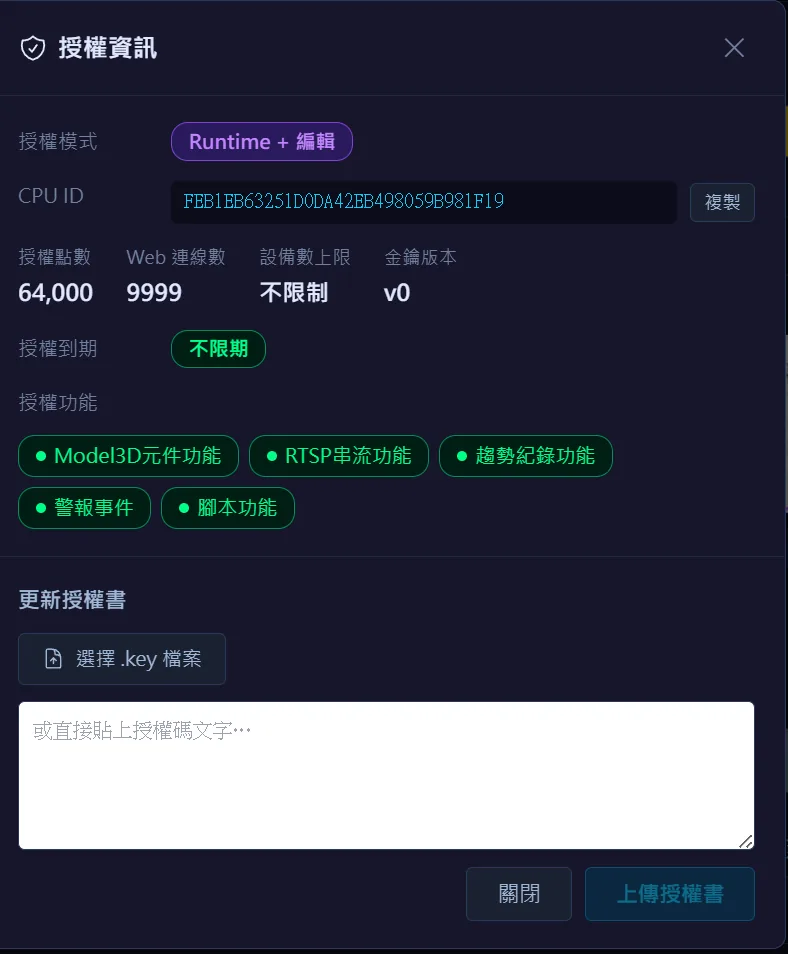
Evaluation and licensing
The editor and real runtime are fully usable without a license: after each deployment the runtime runs for 60 minutes, then stops automatically and prompts for a redeployment. During evaluation there is no limit on tags or devices, and 3D, camera streaming, trends, alarms and scripts are all open.
- Point-based: the tag count is checked against the license quota; array variables count by length, strings count as 1 point and bit splitting is not counted extra. The check runs when tags are added and before deployment, and an over-quota deployment is blocked with the current count and quota shown.
- Feature flags: the built-in graphics library, HA, MCP, VNC remote screens, OPC UA client, Modbus TCP server, OPC UA server and event recording are purchased as needed; the built-in library still works without purchase but with a watermark.
- Server instances: Modbus and OPC UA servers come with 1 instance each on purchase, more can be added, up to 10 per project.
- Binding and activation: the customer reads the device ID from the System Info page, Run-An generates a license key, and pasting it activates immediately with no restart and no interruption to the runtime.
- On expiry or a license fault the system falls back to evaluation mode with the reason shown, with a 60-minute grace period while running.
Deployment architecture
The back end is a single .NET 8 process plus a compiled, purely static front end; the database can be PostgreSQL or built-in SQLite (local SQL can be chosen at installation, with no separate database to install). It installs on a Windows or Linux industrial PC and does not need a large server.
- No client software, fully offline: the front end has no external CDN dependencies. The device opens the on-site screens in a full-screen browser, and engineering PCs or tablets simply connect with a browser; the pure display route can be embedded in MES or ERP via iframe.
- The Windows installer supports in-place upgrades that keep the license, database settings and data directory; uninstalling does not delete user data; the startup window mode and dual-monitor selection can be set.
- Linux all-in-one units: ARM64 shipped units are restored from a production image, generate a unique hostname from the network card address at boot, and show the on-site screens as soon as they are powered on.
- Remote deployment: the engineer's PC holds the master project, devices on the same subnet are listed by automatic scanning, "Edit while running" shows live site values, "Deploy to device" does a partial sync, "Remote download" flashes the whole package, and auto-start at boot can be set.
Updates, high availability and maintenance
Linux devices receive firmware packages over OTA, containing the back end, front end and tools: verified and then swapped atomically, with automatic rollback if the health check fails, downgrade protection, and the license and data directory preserved across updates.
- High availability (HA): one primary with multiple standbys, 0.5-second heartbeat, failover in about 1 to 4 seconds; the primary generates a one-time join code and a standby joins by entering it; alarms, trends and the operation log sync automatically; 11 built-in HA variables can be bound to screens.
- USB: up to 4 slots on Linux devices, mounted read-only, for video playback and event recording storage.
- Schedules can back up the project (including historical data) to a specified directory on a timer.
- Boot time: an ARM64 all-in-one unit takes about 23 seconds from power-on to the back end accepting connections (measured).
Screenshots
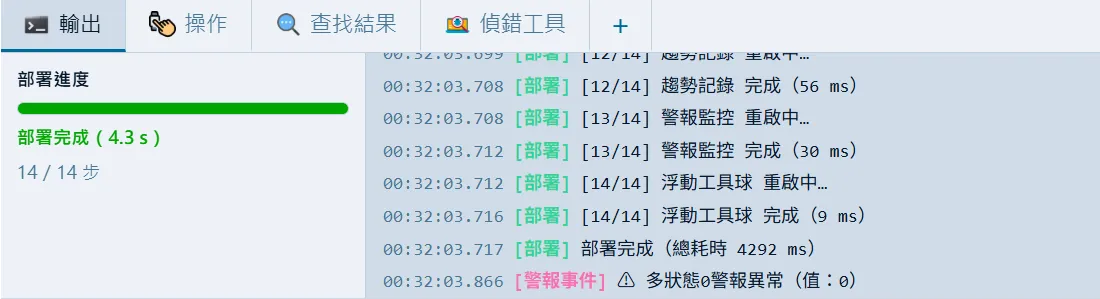
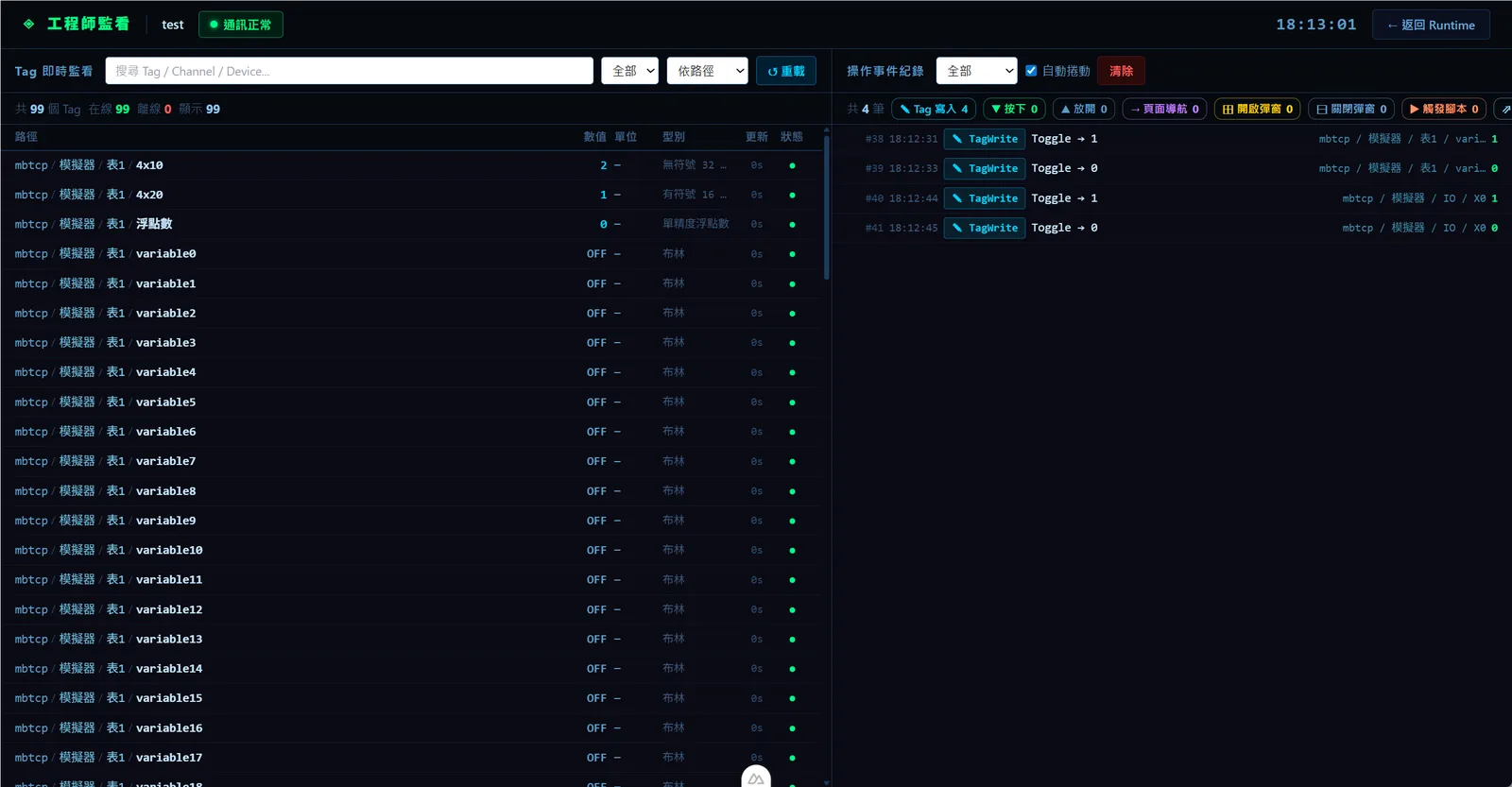
How to set it up
- 1Install: run the Windows installer or power on a shipped all-in-one unit, and choose SQLite or PostgreSQL.
- 2In evaluation mode, create a project, configure communication and screens, click Deploy and complete the on-screen verification, then run for 60 minutes to evaluate; redeploy when it expires to evaluate again.
- 3Once the evaluation passes, read the device ID from the System Info page and send it to Run An.
- 4Run-An generates a license key to your requirements (mode, points, device count, concurrent users, days, feature items and server instances).
- 5Paste the license key into the license window with an Engineer account or higher; it takes effect immediately without interrupting the runtime, and the device then starts the runtime automatically at boot.
- 6Later updates: run the installer for an in-place upgrade on Windows, or push a firmware package over OTA on Linux. For high availability, buy the HA license and let standbys join with a join code generated by the primary.
FAQ
FAQ
How long can I use it without buying a license?
The editor is fully usable with no time limit. The actual runtime runs for 60 minutes after each deployment, stops automatically and runs another 60 minutes after a redeployment. During evaluation there is no limit on tags or devices, and 3D, cameras, trends, alarms and scripts are all open.
How is the license bound, and what if I change machines?
The license key is bound to that machine's device ID and hostname and is invalid when copied to another machine. Replacing the CPU or motherboard or changing the hostname automatically falls back to evaluation mode with the reason shown (with a 60-minute grace period while running); contact Run-An for a new license key.
What server or network environment is needed?
One Windows or Linux industrial PC is enough. The back end is a single process, the database can be the built-in SQLite, and the front end is purely static with no internet dependency, so browsers connect directly. Only HA requires PostgreSQL, and OTA and device scanning need to be on the same LAN segment.